6 Google Chrome Books That Will Sharpen Your Skills
Explore insights from Dr. Christopher Craft, Scott La Counte, and C H Rome in these top Google Chrome books
Updated on June 22, 2025·We may earn commissions for purchases made via this page
3 of 6 books have Kindle versions
We're launchingLaunching on Product Hunt today 🎉We just launchedJust launched on Product Hunt 🎉
Modelpeers, from the BookAuthority teamFrom the BookAuthority team: Modelpeers, a free way to follow AI models and agents like you follow people. We'd love your support.
What if the browser you use every day could do more — much more — to streamline your work, learning, and personal life? Google Chrome is the gateway to a vast ecosystem of tools and extensions, but many users barely scratch the surface. This collection of six books, curated for their practical insights and expert authorship, opens doors to mastering Chrome’s potential across education, business, and everyday browsing.
Dr. Christopher Craft, a recognized educator and Google Certified Innovator, shares how Chrome extensions can transform classrooms. Scott La Counte, with decades of tech guide experience and UC Berkeley UX teaching, provides accessible paths for seniors and business users alike. C H Rome offers clear guidance on cloud computing and Chromebook usage, helping readers navigate the evolving digital landscape with confidence.
While these expert-curated books provide proven frameworks, readers seeking content tailored to their specific skill level, profession, or goals might consider creating a personalized Google Chrome book that builds on these insights, delivering exactly what you need to excel with Google Chrome.
Dr. Christopher Craft, an award-winning educator and Director of Strategic Partnerships for EdTechTeam, brings his deep expertise in educational technology to this guide. His recognition includes visiting the White House for discussions on education's future and multiple prestigious awards for teaching innovation. With a Ph.D. in Educational Psychology and credentials as a Google Certified Innovator, Dr. Craft channels his passion for technology-driven learning into helping you optimize classroom workflows using Chrome extensions.
Dr. Christopher Craft is an award-winning educator and speaker based in South Carolina and the Director of Strategic Partnerships for EdTechTeam. As a classroom teacher, he has been recognized both locally and nationally for innovative teaching with technology. Most recently he won the Belk Service Learning Challenge Grand Prize for his work with 3D-printed prosthetics for children. Dr. Craft was also asked to visit the White House and meet with U.S. Secretary of Education Arne Duncan and Dr. Jill Biden for a dialogue on the current state and future of education. He was named to the National School Board Association’s “20 to Watch” and one of the prestigious “20 under 40” in South Carolina. He has a B.A. in Spanish, a M.Ed in Educational Technology, and a Ph.D. in Educational Psychology and Research from the University of South Carolina, and is Nationally Board Certified. Chris is a Google Certified Innovator, a Google in Education Trainer, and was recently accepted to be an Apple Distinguished Educator. Find out more about Dr. Craft at www.christophercraft.com or follow him on Twitter @crafty184.
Drawing from his extensive experience as an award-winning educator and strategic leader in educational technology, Dr. Christopher Craft crafted this book to empower classroom professionals with efficient tools. You’ll explore 50 specific Chrome extensions carefully selected to enhance communication, creativity, collaboration, and critical thinking, all directly tied to modern teaching priorities. For example, the book highlights extensions that streamline lesson planning and student safety, allowing you to reclaim valuable time otherwise lost to administrative tasks. This guide suits teachers, administrators, and education technologists aiming to integrate technology seamlessly and effectively into their daily routines.
Minute Help Guides specializes in creating user-friendly guides for beginners in technology, helping users navigate new devices and software with ease. Their expertise in simplifying complex tech concepts shines through in this book, designed to introduce you to Chrome OS and cloud computing. This background equips you with the knowledge to embrace the Chromebook’s unique approach to computing confidently and effectively.
Minute Help Guides specializes in creating user-friendly guides for beginners in technology, helping users navigate new devices and software with ease.
When Minute Help Guides first recognized the rising popularity of Chromebooks, they crafted this book to demystify Chrome OS and cloud computing for newcomers. You’ll learn how this browser-centric platform reshapes everyday computing by eliminating traditional software hassles and enhancing security through automatic updates. The book breaks down core concepts like cloud integration and internet-based workflows, making it ideal for anyone transitioning from Windows or Mac environments. With clear explanations and practical examples, it equips you to confidently use a Chromebook for tasks ranging from schoolwork to online shopping.
This AI-tailored book on Google Chrome extensions develops a systematic approach with frameworks that adapt to your specific productivity needs and technical background. The content adjusts based on your areas of interest and experience level to address practical challenges in selecting and managing extensions. It bridges the gap between theoretical possibilities and effective implementation, offering tailored strategies for enhancing browser functionality.
TailoredRead AI creates personalized nonfiction books that adapt to your unique background, goals, and interests. Instead of reading generic content, you get a custom book written specifically for your profession, experience level, and learning objectives. Whether you're a beginner looking for fundamentals or an expert seeking advanced insights, TailoredRead crafts a book that speaks directly to you. Learn more.
This personalized guide on mastering Google Chrome extensions provides a structured framework focused on selecting, installing, and optimizing extensions to enhance productivity across diverse professional contexts. It offers a tailored approach that adjusts strategies based on your industry, workflow, and technical proficiency, ensuring relevance and practical value. By cutting through generic advice, the book covers categorization of extensions, management techniques, and security considerations, equipping readers with actionable methods to integrate extensions seamlessly into daily tasks. The tailored content emphasizes efficient use, troubleshooting, and customization, enabling you to leverage Chrome’s ecosystem effectively within your specific operational environment.
C H Rome is a recognized author and expert in cloud computing, specializing in Google technologies. With a background in technology and education, Rome has dedicated his career to helping users navigate the complexities of cloud-based systems, particularly through the use of Google Chrome and Chromebooks. His works aim to simplify the understanding of these technologies for everyday users, making this book a practical guide for anyone looking to master Google Chrome’s cloud ecosystem.
C H Rome is a recognized author and expert in cloud computing, specializing in Google technologies. With a background in technology and education, Rome has dedicated his career to helping users navigate the complexities of cloud-based systems, particularly through the use of Google Chrome and Chromebooks. His works aim to simplify the understanding of these technologies for everyday users.
116 pages·Google Chrome, Cloud Computing, Chromebooks, Google Drive, Google Docs
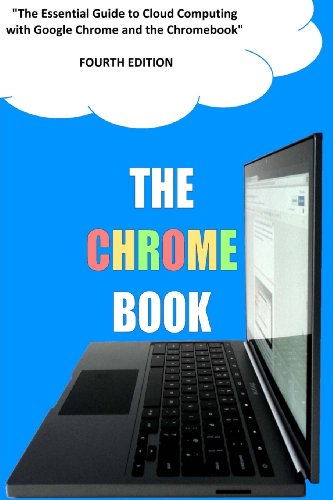
What if everything you knew about cloud computing was wrong? C.H. Rome argues that the future lies in embracing Google Chrome and its cloud ecosystem rather than traditional desktop setups. Drawing from his expertise in technology and education, Rome guides you through using Chromebooks, Google Drive, Gmail, and the Chrome Web Store with practical clarity. You’ll learn specific skills like managing your Google Account, leveraging Google Docs collaboratively, and navigating cloud printing, all designed to simplify your digital life. This book suits anyone moving toward cloud-based workflows, especially those new to Chromebooks or seeking to maximize Google's tools efficiently.
C H Rome, writing under a cleverly chosen pseudonym, has produced multiple editions focused on Chromebooks and cloud computing. This background equips Rome to guide you through the essentials of using Google Chrome and Chromebook devices effectively. The book reflects an understanding of what users need to get started and grow comfortable with cloud-based workflows, making it a solid reference for those stepping into this ecosystem for the first time.
C H Rome is a pseudonym used by the author, cleverly spelling 'CHRome'. The author has written multiple editions of guides on using Chromebooks and cloud computing, providing valuable insights for users.
2013·174 pages·Google Chrome, Cloud Computing, Chromebooks, Google Drive, Web Apps
Drawing from extensive experience writing multiple editions on Chromebooks and cloud computing, C H Rome offers a detailed look at navigating Google Chrome and Chromebook devices. You’ll gain practical skills on everything from setting up your Chromebook to leveraging Google Drive and exploring cloud-based applications like QuickOffice. The book unfolds through focused chapters such as “Web Apps and the Chrome Web Store” and “Cloud Computing Case Study,” making it particularly useful if you want to understand how to integrate cloud computing into everyday workflows. If you’re new to Chromebooks or curious about optimizing your cloud experience, this guide lays out clear explanations without overwhelming technical jargon.
Scott La Counte, an experienced author and tech guide, brings his extensive background in writing and teaching UX design to this book. His practical experience writing numerous tech guides and instructing at UC Berkeley shapes a book aimed to help seniors feel comfortable using Google Chrome. This guide distills complex browser functions into accessible lessons, making it a helpful resource for those stepping into the digital world for the first time.
Scott La Counte also writes under the pen name Scott Douglas. His first book, 'Quiet, Please: Dispatches from a Public Librarian' (Da Capo 2008) was the editor’s choice for the Chicago Tribune and a Discovery title for the Los Angeles Times; in 2011, he published the YA book 'The N00b Warriors,' which became a #1 Amazon bestseller; his most recent book is '#OrganicJesus: Finding Your Way to an Unprocessed, GMO-Free Christianity' (Kregel 2016). He has written dozens of best-selling how-to guides on tech products. He has been a writing instructor for the Gotham Writers Workshop since 2007 and also teaches UX Design for UC Berkeley.
2020·196 pages·Google Chrome, Internet Browsing, Email Basics, Search Techniques, User Interface
When Scott La Counte recognized that many seniors struggle with modern browsers, he crafted this guide to demystify Google Chrome’s interface and features. You’ll learn how to navigate tabs, manage bookmarks, and optimize settings tailored for ease of use. The book also covers practical essentials like Gmail and Google Search, making it a solid introduction to the Google ecosystem. If you want a gentle but clear walkthrough of Chrome’s tools without being overwhelmed, this book speaks directly to that need. It’s especially suited for seniors or anyone new to web browsing who values straightforward explanations.
This AI-powered book on Chrome OS essentials develops a systematic approach with frameworks that adapt to your specific computing environment and skill level. The content adjusts based on your interests and goals to address the nuanced challenges faced by Chromebook users. Created after you specify your areas of interest and experience, it bridges the gap between foundational knowledge and practical application. This tailored guide focuses on enabling you to navigate your Chromebook with confidence and efficiency.
TailoredRead AI creates personalized nonfiction books that adapt to your unique background, goals, and interests. Instead of reading generic content, you get a custom book written specifically for your profession, experience level, and learning objectives. Whether you're a beginner looking for fundamentals or an expert seeking advanced insights, TailoredRead crafts a book that speaks directly to you. Learn more.
2026·50-300 pages·Google Chrome, Chrome OS Basics, Device Setup, User Interface, App Management
This tailored book provides a structured exploration of Google Chrome OS fundamentals, focusing on user-centric methods to master Chromebook navigation and management. It introduces a personalized framework that fits various user profiles—from beginners setting up their first device to professionals optimizing workflow. The book addresses essential topics including system configuration, app usage, security features, and cloud integration, all adapted to your specific goals and experience level. By cutting through generic advice, it offers focused strategies to enhance productivity and confidence in using Chrome OS efficiently within your unique context.
Scott La Counte brings decades of experience writing best-selling tech guides and teaching UX design at UC Berkeley to this practical manual. His background in crafting accessible technology content drives this book's clear focus on helping you get started with Google Apps and Chromebooks for your business needs. La Counte's ability to break down complex tools into manageable steps makes this guide a useful resource for anyone aiming to modernize their office setup.
Scott La Counte also writes under the pen name Scott Douglas. His first book, 'Quiet, Please: Dispatches from a Public Librarian' (Da Capo 2008) was the editor’s choice for the Chicago Tribune and a Discovery title for the Los Angeles Times; in 2011, he published the YA book 'The N00b Warriors,' which became a #1 Amazon bestseller; his most recent book is '#OrganicJesus: Finding Your Way to an Unprocessed, GMO-Free Christianity' (Kregel 2016). He has written dozens of best-selling how-to guides on tech products. He has been a writing instructor for the Gotham Writers Workshop since 2007 and also teaches UX Design for UC Berkeley.
2019·284 pages·Google Chrome, Google, Google Apps, Business Productivity, Chromebooks
What if everything you knew about adopting Google tools for business was incomplete? Scott La Counte, leveraging his long history as a tech guide and educator, walks you through the essentials of Google Apps and Chromebooks with clear, accessible explanations. You’ll learn not just about Docs, Sheets, and Slides, but also how to integrate Google Analytics and understand Chromebook functionality, making this a solid starting point for office transitions. Chapters break down each app’s core features and practical uses, helping you get comfortable with Google's ecosystem. If you're managing a small business or contemplating a switch to cloud-based productivity, this book offers a straightforward path without overwhelming tech jargon.
The best Google Chrome books and more, in your inbox each week. No account needed.
Conclusion
These six books reveal a few clear themes: practical application of Chrome’s tools, accessibility for diverse users, and cloud computing’s growing role. If you’re an educator aiming to boost engagement, start with Dr. Craft’s guide to Chrome extensions in the classroom. New Chromebook users or those switching from other platforms will find C H Rome’s and Minute Help Guides’ books particularly useful.
For seniors or anyone new to web browsing, Scott La Counte’s straightforward approach provides a gentle entry point, while his business-focused guide helps small offices transition smoothly to Google tools. Once you've absorbed these expert insights, create a personalized Google Chrome book to bridge the gap between general principles and your specific situation.
Taking these steps will deepen your understanding and help you harness Google Chrome not just as a browser, but as an adaptable platform that fits your unique needs.
Frequently Asked Questions
I'm overwhelmed by choice – which book should I start with?
Start with 'The Top 50 Chrome Extensions for the Classroom' if you're an educator, or 'The Chrome Book' by C H Rome for a solid foundation in cloud computing and Chromebook use.
Are these books too advanced for someone new to Google Chrome?
Not at all. 'Chrome For Seniors' offers a clear, gentle introduction, perfect for beginners or those less familiar with browser basics.
What's the best order to read these books?
Begin with general guides like 'A Newbies Guide to Chromebook,' then explore specialized books such as the classroom extensions or business-focused guides.
Do I really need to read all of these, or can I just pick one?
You can definitely choose based on your needs. For example, educators benefit most from Craft’s book, while business users may prefer La Counte’s guide.
Are any of these books outdated given how fast Google Chrome changes?
These books focus on foundational skills and principles that remain relevant, helping you adapt even as the platform evolves.
How can I get Google Chrome advice tailored specifically to my needs?
While these books offer great general insights, you can create a personalized Google Chrome book customized to your profession, goals, and skill level for targeted guidance.
📚 Love this book list?
Help fellow book lovers discover great books, share this curated list with others!