Discover 8 best-selling Google Chrome books authored by experts like Jerri Ledford and Scott La Counte, trusted for practical, validated knowledge.
Updated on June 28, 2025·We may earn commissions for purchases made via this page
We're launchingLaunching on Product Hunt today 🎉We just launchedJust launched on Product Hunt 🎉
Modelpeers, from the BookAuthority teamFrom the BookAuthority team: Modelpeers, a free way to follow AI models and agents like you follow people. We'd love your support.
There's something special about books that both critics and crowds love, and Google Chrome is no exception. With millions relying on this browser daily, understanding its full potential is crucial. These 8 books have emerged as popular choices, blending proven value with practical tips that help users from newbies to developers harness Chrome's capabilities effectively.
Authored by seasoned experts such as Jerri Ledford, with over a decade of technology writing, and Scott La Counte, known for his accessible tech guides, these books offer trustworthy insights. They cover everything from basic navigation and security to developing apps and extensions, reflecting the diverse needs within the Chrome community.
While these popular books provide proven frameworks, readers seeking content tailored to their specific Google Chrome needs might consider creating a personalized Google Chrome book that combines these validated approaches. This way, you get expert knowledge aligned exactly with your goals and skill level.
Jerri Ledford brings over a decade of experience as a freelance business technology writer, contributing more than 1,000 articles to prominent publications such as Intelligent Enterprise and Information Security Magazine. Her expertise extends to developing technology training courses for companies like Hewlett-Packard and Sony, making her uniquely qualified to guide you through mastering Google Chrome. This book reflects her deep knowledge of web technologies and practical teaching background, helping you unlock the browser’s full capabilities with clarity and precision.
Jerri Ledford has been a freelance business technology writer for more than 10 years. During that time, more than 1,000 of her articles, profiles, news stories, and reports have appeared online and in print. Her publishing credits include Intelligent Enterprise, Network World, Information Security Magazine, DCM magazine, CRM magazine, IT Manager’s Journal, and dozens more. Jerri also develops and teaches technology training courses for both consumer and business users. Some of the course topics she’s been involved with include security, customer service, career skills, and technology for companies such as IBT Financial, Writer’s Village University, Beacon Hill Financial Services, Hewlett-Packard, Sony, and CNET. She is the author of 17 books including Google Analytics, Google Powered:Productivity with Online Tools, Google Analytics 2.0, The Search Engine Optimization Bible, Google AdSense for Dummies, The Search Engine Optimization Bible, Second Edition, and The Web Geek’s Guide to the Android-Enabled Phone. In her time off, Jerri travels extensively and enjoys hiking, writing fiction novels, and soaking up the positive ions at the beach with her children.
What started as a need to demystify Google Chrome’s streamlined yet powerful interface became a thorough exploration of this browser's capabilities by Jerri Ledford and Yvette Davis. You’ll gain hands-on knowledge of Chrome’s Omnibox, customization options, and security features, alongside insights into its underlying Chromium architecture. The book walks you through optimizing Chrome from basic usage to advanced tweaks, including detailed chapters on themes, extensions, and troubleshooting. If you want to understand how to make Chrome faster, safer, and uniquely yours, this guide offers practical knowledge grounded in extensive tech writing and user training experience. It's tailored for anyone eager to move beyond casual browsing to harness Chrome’s full potential.
Minute Help Guides specializes in creating user-friendly guides for beginners in technology, helping users navigate new devices and software with ease. Their experience in breaking down complex tech topics drove the creation of this book, aimed at making the Chromebook accessible for all users. With a focus on practical understanding of Chrome OS and cloud computing, their guide equips you to confidently integrate these tools into your daily digital life.
Minute Help Guides specializes in creating user-friendly guides for beginners in technology, helping users navigate new devices and software with ease.
Minute Help Guides, known for simplifying technology for beginners, crafted this book to demystify Chrome OS and cloud computing. You’ll gain a clear understanding of how Chromebooks operate differently from traditional PCs, focusing on browser-based computing and seamless internet integration. The book walks you through essential tasks—from managing online documents to navigating the secure, virus-resistant environment Chrome OS offers. If you’re new to Chromebooks or cloud-first devices, this guide lays out the foundational skills you need to confidently embrace this computing shift. Chapters like the overview of automatic updates and cloud storage management provide practical insights without overwhelming technical jargon.
This AI-created book on Chrome customization is crafted based on your specific workflow and skill level. You share what Chrome features intrigue you most and the challenges you face in your browsing routine. Then, this book focuses on those areas, delivering targeted guidance that fits your unique needs. Customization matters here because Chrome’s vast options can overwhelm, but personalized instruction helps you unlock exactly what benefits you. This way, you get a practical, tailored resource that saves time and boosts your online productivity.
TailoredRead AI creates personalized nonfiction books that adapt to your unique background, goals, and interests. Instead of reading generic content, you get a custom book written specifically for your profession, experience level, and learning objectives. Whether you're a beginner looking for fundamentals or an expert seeking advanced insights, TailoredRead crafts a book that speaks directly to you. Learn more.
This tailored book explores detailed strategies to customize and optimize Google Chrome specifically for your workflow. It examines popular browser features, extensions, and hidden tweaks, all tailored to match your background and interests. By focusing on your unique needs, it reveals how to adapt Chrome’s settings and tools to boost efficiency and streamline daily tasks. You’ll discover ways to personalize navigation, manage tabs effectively, enhance security settings, and integrate productivity extensions that align with your goals. This personalized approach transforms Chrome into a powerful ally, making your browsing experience smoother and more productive without wading through generic guides.
Marc Rochkind holds an MS in Computer Science and brings decades of experience from Bell Labs and founding software ventures. His background in UNIX programming and GUI portability tools informs this book, which focuses on helping you develop Chrome Apps that run across platforms with native-like features. Drawing on his history of writing influential programming books, Rochkind guides you through Chrome’s APIs and app lifecycle with practical examples.
Marc Rochkind has an MS in Computer Science (Rutgers, 1976) and worked for Bell Labs from 1970 to 1982, much of that time on parts of UNIX, especially the Source Code Control System, for which he is well known. His 1985 book, Advanced UNIX Programming, was the first book that explained how to program the UNIX kernel. Since leaving Bell Labs in 1982, he has had several management and non-management positions in various software companies and done lots of consulting. He started a venture-capital-backed company, XVT Software, in 1988, that provided tools to allow programmers to develop portable GUI applications―the first such tool. Later, he was the VP of Software at two venture-capital-backed companies, one with an employee-scheduling product, and one with an online-knowledge-base product. He has written four computer-related books: Expert PHP and MySQL: Application Design and Development (Apress, 2013), Advanced UNIX Programming, Second Edition (Addison-Wesley, 2004), Advanced C Programming for Displays (Prentice-Hall, 1988), Advanced UNIX Programming (Prentice-Hall, 1985). Currently he develops iOS, MacOS, and Windows apps, does some consulting, and writes books.
Marc Rochkind's extensive experience in computer science, including his time at Bell Labs working on UNIX systems, uniquely positions him to guide you through the nuances of developing Chrome Apps. This book teaches you how to create cross-platform applications that function like native apps, leveraging Chrome’s APIs to interact with hardware, handle files, and send notifications. You’ll find detailed coverage of using WebSockets, Google Cloud Messaging, and graphical APIs such as Canvas and SVG, making it suitable for developers familiar with HTML, CSS, and JavaScript. If you want to expand your web development skills into Chrome’s unique app ecosystem, this book offers a solid foundation without unnecessary jargon.
Prateek Mehta, a skilled web and game developer with a B.Tech. in information technology engineering, brings a unique perspective from his work at MetaDesign Solutions and his passion for enhancing browsing through Chrome extensions. His hands-on experience and enthusiasm for leveraging browser features culminate in this guide, which empowers you to translate your web development knowledge into creating useful, secure Chrome extensions.
Prateek Mehta holds a B.Tech. degree in information technology engineering from the Indraprastha University, New Delhi. He is a web and game developer, and is currently working full-time as a Unity3D game developer, at MetaDesign Solutions, Gurgaon. He finds developing Chrome extensions really fun, because he considers extensions as the best possible way to enhance our browsing experiences. Prateek resides in the lovely city of Dwarka, in south west Delhi. When not doing technical things, he works as a freelance music instructor. He spends his spare time playing Counter-Strike, “de_dust2”, and “de_inferno” are his favorite maps, where he is busy sniping with his AWP. On StackOverflow, he has a keen interest in answering questions tagged under “css”, “javascript”, “php”, “unity3d”, and “opengl-es-2.0”. He is the lead-author of Learn OpenGL ES (Apress, 2013).
When Prateek Mehta first realized how browser extensions could fundamentally change user interaction, he set out to bridge web development with Chrome’s extension APIs. This book guides you through transforming standard web applications into dynamic Chrome extensions, teaching you how to harness browser features like bookmarks, tabs, and notifications to enhance functionality. You’ll learn practical techniques, such as creating extensions to summarize web pages or batch-save images, backed by clear examples illustrating API usage and security considerations. If you’re comfortable with HTML, CSS, and JavaScript, this book offers a straightforward path to leverage those skills into creating powerful browser add-ons that improve your and your users' browsing experience.
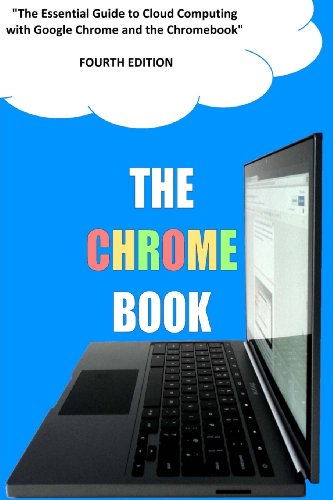
C H Rome is the author behind this guide, using a pseudonym that plays on 'CHRome' to emphasize his focus on Chromebooks. Having authored multiple editions, he brings a wealth of experience helping users unlock the potential of Google Chrome and Chromebook devices. His insights stem from deep practical knowledge, making this book a solid resource for anyone looking to get comfortable with cloud computing on these platforms.
C H Rome is a pseudonym used by the author, cleverly spelling 'CHRome'. The author has written multiple editions of guides on using Chromebooks and cloud computing, providing valuable insights for users.
2013·174 pages·Google Chrome, Cloud Computing, Chromebooks, Web Apps, Google Drive
What happens when a dedicated Chromebook enthusiast crafts a guide specifically for cloud computing users? C H Rome, writing under a clever pseudonym, offers a focused exploration of how to maximize your Chromebook alongside the Google Chrome browser. You’ll learn practical skills like navigating web apps, efficiently using Google Drive and Docs, and even enhancing performance with Crouton. This book suits anyone from casual users to small business owners curious about integrating cloud solutions. Its chapter on cloud computing conundrums and a real-world case study provide useful perspectives on common challenges and solutions.
This AI-created book on Chrome development is crafted based on your background and goals. By sharing your current skills and the specific aspects of Chrome apps and extensions you want to focus on, you receive a tailored learning path. This approach ensures you engage with content that matches your interests and accelerates your progress in developing and deploying Chrome projects.
TailoredRead AI creates personalized nonfiction books that adapt to your unique background, goals, and interests. Instead of reading generic content, you get a custom book written specifically for your profession, experience level, and learning objectives. Whether you're a beginner looking for fundamentals or an expert seeking advanced insights, TailoredRead crafts a book that speaks directly to you. Learn more.
This tailored book offers an immersive 30-day accelerated learning plan focused on programming and deploying Chrome apps and extensions. It explores core concepts such as Chrome APIs, JavaScript integration, and extension architecture, all tailored to match your background and specific goals. By concentrating on your interests, it reveals practical coding examples and deployment techniques that streamline your development journey. The content balances foundational knowledge with progressive skill-building, ensuring you grasp both essential principles and advanced customization options. This personalized guide makes mastering Chrome development accessible and engaging by focusing precisely on what you want to achieve in app and extension creation.
Scott La Counte brings decades of writing and teaching experience to this guide, known for best-selling how-to tech books and teaching UX Design at UC Berkeley. His work under the pen name Scott Douglas includes top-selling titles and editor’s picks, reflecting a deep understanding of guiding diverse audiences through technology. This book stems from his commitment to make digital tools accessible, focusing on seniors who want to engage confidently with Google Chrome and related Google services.
Scott La Counte also writes under the pen name Scott Douglas. His first book, 'Quiet, Please: Dispatches from a Public Librarian' (Da Capo 2008) was the editor’s choice for the Chicago Tribune and a Discovery title for the Los Angeles Times; in 2011, he published the YA book 'The N00b Warriors,' which became a #1 Amazon bestseller; his most recent book is '#OrganicJesus: Finding Your Way to an Unprocessed, GMO-Free Christianity' (Kregel 2016). He has written dozens of best-selling how-to guides on tech products. He has been a writing instructor for the Gotham Writers Workshop since 2007 and also teaches UX Design for UC Berkeley.
2020·196 pages·Google Chrome, Internet Browsing, Email, Search Engines, User Interface
Scott La Counte’s extensive background in writing and teaching shines through in this approachable guide tailored for seniors navigating Google Chrome. You’ll learn how to master key browser features, from tab management to privacy settings, alongside practical introductions to Gmail and efficient Google searching. The book breaks down technology in a way that respects your pace, making it easier to feel confident online. If you want straightforward explanations without jargon, especially focused on Chrome’s interface and related Google tools, this book is a solid choice for you.
Chris Fehily’s Visual QuickStart Guide stands out by offering a focused, approachable introduction to Google Chrome OS, perfect for those stepping into this environment for the first time. The book’s structured visual approach helps you quickly get comfortable with the system’s layout, cloud-based apps, and customization options. With 360 pages dedicated to clarifying Chrome OS’s unique aspects, this guide addresses the practical needs of users eager to understand and use the operating system effectively, making it a trusted reference for newcomers navigating the evolving landscape of Google’s software.
2011·360 pages·Google Chrome, Operating Systems, Technology, User Guides, Cloud Integration
During the early days of Google's Chrome OS emergence, Chris Fehily crafted this guide to demystify the operating system's unique interface and features for everyday users. The book breaks down its content with clear visuals and step-by-step explanations that help you grasp installation, cloud integration, and system customization. You’ll find chapters devoted to navigating Chrome OS’s apps and settings, making it ideal if you want to transition smoothly from traditional systems. Whether you're a tech enthusiast or someone looking to understand this OS for work or study, the guide offers practical knowledge without overwhelming jargon, focusing on usability and getting you productive quickly.
What makes "The Ridiculously Simple Guide to Surfing the Internet With Google Chrome" unique is its straightforward approach to a browser used by hundreds of millions worldwide. Scott La Counte breaks down complex features of Google Chrome, showing you how to go beyond casual browsing to harness powerful tools like integrated Gmail and advanced Google Searching. This book meets the needs of anyone wanting to better understand their browser’s capabilities and improve their internet experience, making the everyday task of surfing the web more efficient and intuitive.
2020·190 pages·Google Chrome, Google, Internet Browsing, Web Search, Email Management
Millions keep recommending this book because it demystifies Google Chrome beyond basic browsing. Scott La Counte, drawing from the browser’s widespread use, breaks down not just how Chrome operates but also how to maximize it, including practical insights into Google Searching and Gmail integration. You'll find chapters that clarify Chrome’s features, extensions, privacy settings, and everyday hacks that transform casual users into confident navigators. This guide suits anyone looking to gain control over their internet experience, whether you’re a beginner or someone wanting to unlock Chrome’s full potential.
The best Google Chrome books and more, in your inbox each week. No account needed.
Conclusion
These 8 books form a strong foundation for anyone looking to deepen their Google Chrome expertise. They collectively emphasize proven methods—from customizing and optimizing Chrome to developing apps and mastering cloud computing—reflecting widespread validation by readers and tech communities alike.
If you prefer proven methods, start with "Web Geek's Guide to Google Chrome" or "Chrome For Seniors" for practical mastery. For validated development approaches, combine "Programming Chrome Apps" and "Creating Google Chrome Extensions" to build your skills. And for Chromebook users, "A Newbies Guide to Chromebook" and "The Chrome Book" offer focused guidance.
Alternatively, you can create a personalized Google Chrome book to combine proven methods with your unique needs. These widely-adopted approaches have helped many readers succeed in navigating and leveraging Google Chrome to its fullest.
Frequently Asked Questions
I'm overwhelmed by choice – which book should I start with?
Start with "Web Geek's Guide to Google Chrome" for a thorough yet approachable look at Chrome's features. It balances basics with advanced tips, making it a solid foundation for most users.
Are these books too advanced for someone new to Google Chrome?
Not at all. Books like "A Newbies Guide to Chromebook" and "Chrome For Seniors" are designed specifically for beginners, breaking down concepts without overwhelming jargon.
What's the best order to read these books?
Begin with user-focused guides like "Chrome For Seniors" or "The Ridiculously Simple Guide to Surfing the Internet With Google Chrome." Then explore development-focused titles if you're interested in programming or extensions.
Do I really need to read all of these, or can I just pick one?
You can definitely pick based on your goals. For example, choose "Creating Google Chrome Extensions" if you're focused on development, or "The Chrome Book" if you're interested in cloud computing.
Are any of these books outdated given how fast Google Chrome changes?
While some books date back several years, the core principles and techniques remain relevant. Authors focus on foundational knowledge that adapts well despite updates.
Can I get tailored Google Chrome knowledge instead of reading multiple books?
Yes! These expert books offer great insights, but you can also create a personalized Google Chrome book that blends proven methods with your specific needs for a focused, efficient learning experience.
📚 Love this book list?
Help fellow book lovers discover great books, share this curated list with others!