Joel Spolsky, co-founder of Stack Overflow and Trello, recommends these best-selling Windows books for developers and enthusiasts alike.
Updated on June 24, 2025·We may earn commissions for purchases made via this page
0 of 7 books have Audiobook versions
We're launchingLaunching on Product Hunt today 🎉We just launchedJust launched on Product Hunt 🎉
Modelpeers, from the BookAuthority teamFrom the BookAuthority team: Modelpeers, a free way to follow AI models and agents like you follow people. We'd love your support.
When millions of readers and top experts agree on a set of Windows books, you know you’re tapping into proven knowledge. Windows remains a cornerstone of personal and enterprise computing, making these books invaluable for anyone looking to deepen their understanding or sharpen their development skills. From the origins of Windows NT to the latest Windows 11 features, these titles capture the evolution and intricacies of the platform.
Joel Spolsky, co-founder of Stack Overflow and Trello, has recommended several of these titles based on their practical relevance and depth. Joel’s deep involvement in software development and community building means his endorsements reflect books that have truly impacted professionals working with Windows. His pick of "Show Stopper!" offers a gripping insider’s look at Windows NT’s creation, while his appreciation for "Microsoft Windows Internals" highlights the value of understanding system architecture.
While these popular books provide proven frameworks, readers seeking content tailored to their specific Windows needs might consider creating a personalized Windows book that combines these validated approaches. Such customization helps align learning with your skill level and objectives, offering a focused path through Windows' complex ecosystem.
G. Pascal Zachary is an award-winning Wall Street Journal reporter who has extensively covered the software industry and its key players. His deep journalistic experience equips him uniquely to tell the inside story of Windows NT's creation, capturing both the technical breakthroughs and the human drama at Microsoft. Zachary’s account sheds light on the leadership of David Cutler and Bill Gates' vision, offering you an unvarnished look at a pivotal moment in software history.
G. Pascal Zachary is an award-winning reporter for The Wall Street Journal and has written extensively about computers, software, and the people who create them. Married with one son and one daughter, he lives in Berkeley, California.
Drawing from his extensive journalism career covering technology, G. Pascal Zachary delivers a detailed chronicle of Windows NT's development at Microsoft. You gain insight into the intense pressures and complex coordination behind one of the most ambitious software projects, including the leadership style of David Cutler and Bill Gates' strategic vision. The book reveals the technical and interpersonal challenges faced by the team, such as managing showstopper bugs and meeting relentless deadlines. If you're curious about software project management or the history of operating systems, this narrative offers a grounded perspective on innovation in a high-stakes environment.
Jeffrey Richter is a software architect on Microsoft’s Azure team and co-founder of Wintellect, bringing decades of experience in Windows and .NET Framework programming. His extensive background includes authoring bestselling programming books and contributing to MSDN Magazine, which informs the depth of knowledge found in this guide. This book reflects his commitment to helping developers navigate the complexities of Windows 95 and NT programming, combining practical examples with advanced theory to elevate your development skills.
Jeffrey Richter is a Software Architect on Microsoft’s Azure team. He produced a video series on Architecting Distributed Cloud Applications available (for free) on YouTube at http://aka.ms/RichterCloudApps. He is also a co-founder of Wintellect, a software consulting and training company where he has authored many videos available on http://WintellectNOW.com. Jeffrey has spoken at many industry conferences, and is the author of several best-selling Windows and .NET Framework programming books and has also been a contributing editor to MSDN Magazine where he authored many feature articles and columns.
1995·930 pages·Windows, Win32 API, System Programming, Memory Management, Process Synchronization
The breakthrough moment came when Jeffrey Richter, an experienced software architect, illuminated the intricacies of 32-bit programming for Windows NT 3.5 and Windows 95. This book dives deep into the Win32 API, offering detailed explanations of advanced programming concepts and core Windows functionalities, including memory management and process synchronization. You’ll gain a solid foundation for building sophisticated Windows applications, supported by sample code that bridges theory and practice. If you’re aiming to master Windows system programming at a granular level, this book gives you the tools and insights to do just that.
This AI-created book on Windows programming is tailored based on your background, skill level, and specific interests in system programming challenges. You share what Windows topics you want to focus on, and this book is crafted to match your goals and experience. It's designed to provide focused insights that help you navigate the complexities of Windows system internals without wading through unrelated material. The result is a personalized resource that suits your unique learning path perfectly.
TailoredRead AI creates personalized nonfiction books that adapt to your unique background, goals, and interests. Instead of reading generic content, you get a custom book written specifically for your profession, experience level, and learning objectives. Whether you're a beginner looking for fundamentals or an expert seeking advanced insights, TailoredRead crafts a book that speaks directly to you. Learn more.
2026·50-300 pages·Windows, System Programming, Windows Internals, Win32 API, Memory Management
This tailored book explores detailed methods for mastering the complexities of Windows system programming. It covers key areas such as system internals, API utilization, memory management, synchronization, and device driver development. By focusing on your interests and background, it delivers a personalized learning experience that aligns with your specific goals and challenges. The content draws on widely valued knowledge, combining it with insights tailored to your skill level and the subtopics you want to explore. You'll gain a nuanced understanding of Windows architecture and programming techniques, enhancing your ability to develop robust and efficient system-level applications.
Andy Rathbone probably didn’t think “someday I’m going to be the world’s all-time best-selling tech how-to book author” when he was finishing his comparative literature degree. A stint writing for computer magazines led to him writing Windows For Dummies, published in October 1992. Since then the book has seen 18 editions published and sold millions of copies. When not helping people find the Start button, Andy enjoys bird watching and playing ukulele.
Andy Rathbone probably didn’t think “someday I’m going to be the world’s all-time best-selling tech how-to book author” when he was finishing his comparative literature degree. A stint writing for computer magazines led to him writing Windows For Dummies, published in October 1992. Since then the book has seen 18 editions published and sold millions of copies. When not helping people find the Start button, Andy enjoys bird watching and playing ukulele.
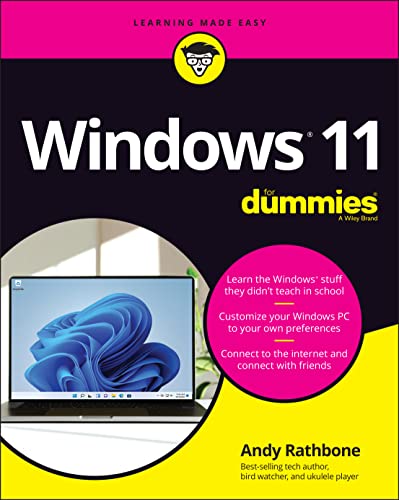
Andy Rathbone’s deep experience as a longtime Windows expert shines through in this guide tailored for Windows 11 users eager to get comfortable with the latest iteration of the OS. He walks you through practical tasks—from navigating the revamped Start menu to managing files and using new features like Microsoft Teams and widgets. This book keeps things approachable, showing you how to customize your setup and troubleshoot common issues without overwhelming technical jargon. If you want a straightforward companion to help you feel confident on Windows 11, Rathbone’s clear explanations and examples make it a reliable choice.
Peter G. Viscarola brings over 20 years of experience to this book, having designed more than three dozen Windows NT drivers and consulting extensively on Windows NT internals. His deep expertise in networking and high-speed DMA hardware interactions shapes this manual, making it a go-to guide for developers working with Windows NT kernel mode drivers. As founder and instructor at Open Systems Resources, Peter’s knowledge is distilled into clear explanations that connect hardware and software, providing a resource grounded in real-world driver development.
Peter G. Viscarola is a founder of, and Consulting Partner at, Open Systems Resources (OSR), the world-renowned consulting firm specializing in Windows NT systems internals. During more than 20 years in the computer industry, including more than 10 years as an independent consultant, Peter has developed device drivers and protocol implementations under a wide array of operating systems. Since the release of Windows NT, Peter has designed or developed more than three dozen Windows NT drivers, including drivers for almost every type of programmed I/O and DMA device imaginable. Recent Windows NT driver projects include development of high-speed drivers for ATM[r], ISDN, and Frame Relay devices, as well as design of special Kernel mode drivers for a number of unique situations. Peter's particular areas of expertise include networking and high-speed DMA architectures, where hardware-driver interactions are critical. Peter has a long background developing and teaching high-tech courses, and is the developer and chief instructor of Open Systems Resources Windows NT Kernel Mode Device Driver Seminar. Peter attended Columbia University and the University of Michigan, where he studied applied statistics and computer science, and Lesley College, where he studied applied management. Peter is a regular contributor to and columnist for The NT Insider, Open Systems Resources journal of Windows NT systems internals.
Peter G. Viscarola's decades of experience crafting Windows NT device drivers form the backbone of this detailed manual, born from his work designing over three dozen drivers for a range of hardware. The book guides you through the Windows NT I/O Subsystem, explaining how to develop kernel mode drivers tailored to specific applications, with chapters that clarify complex concepts like DMA architectures and networking drivers. If you’re diving into Windows NT device programming or need to understand how hardware and OS interplay at a system level, this book lays out the technical foundation you’ll rely on. While it demands some prior knowledge, it’s a solid fit for intermediate developers aiming to deepen their kernel mode expertise.
Borders.com, a respected high-end publisher, highlights the value of this book in the Windows programming community. They praise it as "Apress gets an A+! The high-end publishing company's first book ... is a grand slam," emphasizing how it aligns with widespread reader appreciation. Their recommendation reflects how this book helped programmers overcome the usual hurdles of Windows API programming, making complex concepts accessible and even enjoyable.
Dan Appleman is a renowned author and expert in programming, particularly known for his contributions to Visual Basic and API programming. He has written several influential books that have helped programmers enhance their skills and understanding of complex programming concepts.
1999·106 pages·Windows, Win32 API, Visual Basic, API Programming, System Calls
What happens when a seasoned Visual Basic expert tackles the Windows API? Dan Appleman, known for demystifying complex programming, developed this puzzle book to bridge the gap between VB programmers and the traditionally C++-focused Windows API documentation. You learn how to unlock the full potential of Windows by mastering API calls that VB alone can't handle, with chapters blending technical detail and humor to keep you engaged. This book suits VB programmers eager to deepen their system-level skills without wrestling with C++ jargon. If you want to write more powerful Windows applications and understand API puzzles, this book offers a clear path.
This AI-created book on Windows development is tailored to your specific goals and experience level. By focusing on rapid skill growth through daily lessons, it matches your background and interests to help you learn exactly what you need. Personalizing the content means you avoid general fluff and get straight to the Windows topics that matter most to you. This makes the learning process more engaging and efficient, letting you build confidence with practical knowledge every step of the way.
TailoredRead AI creates personalized nonfiction books that adapt to your unique background, goals, and interests. Instead of reading generic content, you get a custom book written specifically for your profession, experience level, and learning objectives. Whether you're a beginner looking for fundamentals or an expert seeking advanced insights, TailoredRead crafts a book that speaks directly to you. Learn more.
2026·50-300 pages·Windows, Windows Basics, System Navigation, User Customization, PowerShell Scripting
This tailored Windows guide explores rapid skill development for users and developers eager to enhance their Windows expertise within a focused timeframe. It covers essential concepts from system navigation to advanced customization, blending widely validated knowledge with your unique background and interests. By concentrating on daily targeted lessons, the book enables you to build practical skills efficiently and confidently.
The personalized approach ensures that each chapter matches your current level and goals, addressing topics that matter most to you. This focused journey through Windows features, tools, and development techniques reveals insights that millions have found valuable, all tailored to accelerate your learning and mastery of the Windows environment.
This book stands out as a definitive resource for professionals aiming to master Windows user interface design. It compiles official Microsoft guidelines into a single volume, providing a practical framework for creating visually coherent and functionally consistent Windows applications. By addressing frequent development pitfalls and offering ready solutions, it serves developers who want to ensure their software meets established usability and design criteria. The book’s detailed approach benefits anyone focused on elevating Windows application quality and user experience.
Microsoft Corporation's extensive experience in software development culminates in this detailed guide on Windows user interface design. The book offers you clear guidelines to craft interfaces that are both visually appealing and functionally consistent with Windows standards, reducing common development errors through practical solutions. You’ll find chapters focusing on layout principles, control usage, and visual styling, making it especially useful if you’re a professional developer aiming to align your applications with Microsoft’s design philosophy. While it’s tailored for developers, anyone involved in Windows UI design can gain a solid understanding of what defines a coherent and user-friendly experience.
This book offers a unique window into the Windows operating system, crafted by Mark Russinovich and David Solomon in close collaboration with Microsoft's development team. Its detailed focus on Windows Server 2003, XP, and 2000—including 64-bit extensions—provides you with an authoritative guide to Windows internals. You'll find practical experiments and advanced troubleshooting techniques that make the complex architecture accessible and actionable. Whether you develop software or administer systems, this book helps you grasp the core mechanisms that keep Windows running smoothly and securely.
2005·976 pages·Windows, System Architecture, Kernel Debugging, Security Model, Memory Management
Mark Russinovich and David Solomon bring decades of deep Windows kernel expertise to this detailed exploration of the Windows operating system's inner workings. You’ll learn how Windows manages critical components like processes, memory, security, and file systems, supported by hands-on experiments and kernel debugging techniques. Chapters on the Windows networking stack and crash analysis equip you with practical troubleshooting strategies to maintain system reliability. This book suits developers and system administrators who need a thorough understanding of Windows architecture to improve design, debugging, and performance.
The best Windows books and more, in your inbox each week. No account needed.
Conclusion
These 7 best-selling Windows books collectively offer a well-rounded view of the platform—from its historic development challenges to advanced programming and user experience design. If you prefer proven methods grounded in expert insight, starting with "Show Stopper!" and "Microsoft Windows Internals" will deepen your understanding of Windows' architecture and history.
For validated approaches to programming, combining "Advanced Windows" with Dan Appleman’s Win32 API puzzles can sharpen your coding skills in practical ways. Meanwhile, those new to Windows 11 can gain confidence with Andy Rathbone’s accessible guide, while UI designers benefit from Microsoft's official user experience standards.
Alternatively, you can create a personalized Windows book to combine proven methods with your unique needs. These widely-adopted approaches have helped many readers succeed in mastering Windows, whether as developers, administrators, or enthusiasts.
Frequently Asked Questions
I'm overwhelmed by choice – which book should I start with?
Start with "Show Stopper!" if you're interested in Windows history or "Windows 11 For Dummies" for practical, current OS guidance. These provide a solid foundation before diving into technical depths.
Are these books too advanced for someone new to Windows?
Not all. "Windows 11 For Dummies" is great for beginners. More technical titles like "Advanced Windows" or "Windows NT Device Driver Development" suit experienced developers.
What's the best order to read these books?
Begin with broader topics like "Show Stopper!" and "Windows 11 For Dummies," then advance to technical guides such as "Microsoft Windows Internals" for deeper system knowledge.
Do these books assume I already have experience in Windows?
Some do, especially programming-focused titles like "Advanced Windows." Others, like "Windows 11 For Dummies," are designed for new users with no prior experience.
Which books focus more on theory vs. practical application?
"Microsoft Windows Internals" and "Show Stopper!" lean toward theory and system design, while "Dan Appleman's Win32 API Puzzle Book" and "Windows 11 For Dummies" emphasize practical application.
Can I get a Windows book tailored to my specific skill level and goals?
Yes! While expert books offer valuable insights, you can also create a personalized Windows book that aligns with your background and learning objectives for a more targeted experience.
📚 Love this book list?
Help fellow book lovers discover great books, share this curated list with others!