8 Linux Shell Books That Separate Experts from Amateurs
Nicholas C. Zakas, creator of ESLint, and other thought leaders recommend these Linux Shell Books to boost your command line expertise and scripting skills.
Updated on June 28, 2025·We may earn commissions for purchases made via this page
6 of 8 books have Kindle versions
We're launchingLaunching on Product Hunt today 🎉We just launchedJust launched on Product Hunt 🎉
Modelpeers, from the BookAuthority teamFrom the BookAuthority team: Modelpeers, a free way to follow AI models and agents like you follow people. We'd love your support.
What if mastering the Linux shell could unlock a new level of productivity and control over your systems? Many shy away from the command line, but the truth is, it's a powerful gateway to efficiency and customization that GUI tools can rarely match.
Nicholas C. Zakas, known for creating ESLint and shaping JavaScript development, recommends "The Linux Command Line, 2nd Edition" as an ideal starting point. His endorsement reflects his appreciation for resources that go beyond commands, revealing the philosophy and inner workings of the Linux shell environment.
While these expert-curated books provide proven frameworks, readers seeking content tailored to their specific experience level, goals, and preferred learning style might consider creating a personalized Linux Shell book that builds on these insights, accelerating your learning journey with focused guidance.
Best for Linux beginners building strong foundations
Kindle version available
Nicholas C. Zakas, a respected software developer and creator of ESLint, recommends this book as an ideal resource for Linux beginners eager to accelerate their command line skills. He highlights how the book doesn’t just list commands, but delves into the theory and integration of tools, offering a richer understanding of the Linux shell environment. His endorsement underscores the book's ability to transform the intimidating command line into an accessible and powerful interface, making it a valuable starting point for anyone serious about mastering Linux.
“This is exactly what a Linux beginner needs to get up to speed quickly. The book goes beyond simply walking through all of the command line utilities, and ventures into the realm of theory and how things work together.” (from Amazon)
William Shotts has been a software professional for more than 30 years and an avid Linux user for more than 20 years. He has an extensive background in software development, including technical support, quality assurance, and documentation. He is also the creator of LinuxCommand.org, a Linux education and advocacy site featuring news, reviews, and extensive support for using the Linux command line.
Drawing from over 20 years as a Linux user and three decades in software, William Shotts crafted a guide that takes you beyond basic commands into the philosophy and mechanics of the Linux command line. You’ll gain practical skills like file management, shell scripting, process control, and text manipulation while understanding how these tools interconnect under the hood. Chapters on editing with Vi and automating tasks with Bash scripts provide real depth, making this a solid fit if you want to move from curious beginner to confident user. While it’s approachable for newcomers, those seeking a quick reference might find the detailed explorations more than they need.
Jason Cannon started his career as a Unix and Linux System Engineer in 1999, working with companies like Xerox, UPS, Hewlett-Packard, and Amazon.com. His extensive hands-on experience across multiple Linux distributions and proprietary Unix systems gives him a unique command of shell scripting techniques. This book reflects his commitment to teaching others how to harness the power of Linux through practical shell programming, making it a valuable resource for anyone looking to automate command line tasks efficiently.
Jason Cannon started his career as a Unix and Linux System Engineer in 1999. Since that time he has utilized his Linux skills at companies such as Xerox, UPS, Hewlett-Packard, and Amazon.com. Additionally, he has acted as a technical consultant and independent contractor for small businesses as well as Fortune 500 companies. Jason has professional experience with CentOS, RedHat Enterprise Linux, SUSE Linux Enterprise Server, and Ubuntu. He has used several Linux distributions on personal projects including Debian, Slackware, CrunchBang, and others. In addition to Linux, Jason has experience supporting proprietary Unix operating systems including AIX, HP-UX, and Solaris. He enjoys teaching others how to use and exploit the power of the Linux operating system. Jason is the author of Command Line Kung Fu and Linux for Beginners. He is also the founder of the Linux Training Academy where he blogs and teaches online video training courses.
Unlike most Linux Shell books that skim basics, Jason Cannon draws on decades as a Unix and Linux system engineer to guide you through creating effective shell scripts that tackle real tasks. You’ll learn to automate repetitive processes, manage user input, and handle command line arguments, with a clear checklist and boilerplate script included to remove guesswork. The book focuses on bash scripting but teaches principles applicable across shells like sh, ksh, and zsh, making it a versatile tool for sysadmins and developers alike. If you’re looking to save time and deepen your command line skills on Linux, Unix, or Mac systems, this book offers straightforward, hands-on instruction without fluff.
This AI-created book on Linux shell scripting is crafted specifically for your experience level and goals. By sharing your background and areas of interest, you receive a tailored guide that covers exactly the commands and scripting techniques you want to master. This personalized approach helps you cut through general content to focus on what matters most for your learning journey. It's like having a custom roadmap through the complex world of shell mastery, designed to build your skills efficiently and effectively.
TailoredRead AI creates personalized nonfiction books that adapt to your unique background, goals, and interests. Instead of reading generic content, you get a custom book written specifically for your profession, experience level, and learning objectives. Whether you're a beginner looking for fundamentals or an expert seeking advanced insights, TailoredRead crafts a book that speaks directly to you. Learn more.
2026·50-300 pages·Linux Shell, Command Basics, Shell Scripting, Automation, Process Management
This tailored book explores the intricate world of Linux shell commands and scripting techniques, focusing directly on your background and goals. It reveals the essential commands, scripting constructs, and advanced shell features that drive efficiency and system control. By matching your interests and skill level, it guides you through core concepts and specialized topics such as automation, process management, and custom script development. The personalized content helps you navigate complex command-line environments with confidence, addressing the nuances and challenges unique to your learning path. This approach makes mastering the Linux shell both accessible and deeply relevant to your specific objectives.
Dave Taylor has been a key figure in computing since 1980, contributing to BSD 4.4 UNIX and authoring 20 books including titles from O'Reilly and SAMS. His extensive background and experience as a Linux Journal columnist shine through in this collection of 101 practical shell scripts, designed to help you harness the power of Linux, OS X, and UNIX systems with confidence and creativity.
Dave Taylor has been in the computer industry since 1980. He was a contributor to BSD 4.4 UNIX, and his software is included in all major UNIX distributions. He is an award-winning public speaker and has written thousands of magazine and newspaper articles. He is the author of 20 books, including Learning UNIX for Mac OS X (O'Reilly), Solaris for Dummies (Hungry Minds), and Teach Yourself UNIX in 24 Hours (SAMS). A popular columnist for Linux Journal magazine, he also maintains a customer tech support website at askdavetaylor.com.
After decades in the computer industry and contributions to BSD 4.4 UNIX, Dave Taylor combines his deep expertise with co-author Brandon Perry to present a practical collection of shell scripts that empower you to automate and customize your Linux, OS X, or UNIX environment. You’ll find detailed examples ranging from essential tasks like disk backups and password management to playful scripts like games and weather trackers, each explained with why they work and how to modify them. The book’s strength lies in its hands-on approach, offering 101 scripts including new tools for cloud services and bulk file operations, perfect for sysadmins and developers eager to streamline workflows. If you want to save time and deepen your command-line skills, this book is a solid companion, though casual users might find some scripts overly technical.
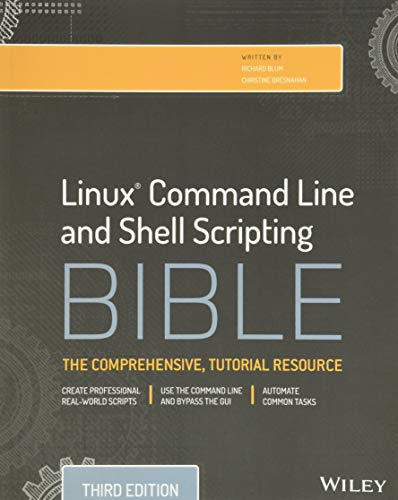
Richard Blum brings over thirty years of system and network administration experience, while Christine Bresnahan complements with her role as an adjunct professor teaching Linux certification and Python. Their combined expertise shaped this authoritative resource to guide you through mastering Linux command line and shell scripting, making complex scripting concepts accessible and practical for users aiming to elevate their Linux proficiency.
Richard Blum has over three decades of experience working as a system and network administrator. He is the author of several Linux books and is an accomplished online Linux instructor. Christine Bresnahan is an Adjunct Professor at Ivy Tech Community College where she teaches Linux certification and Python classes. She is the author of several Linux books, including the CompTIA Linux+ Study Guide, Fourth Edition.
Richard Blum's decades as a system and network administrator, combined with Christine Bresnahan's academic teaching in Linux and Python, led them to craft this detailed guide that demystifies Linux shell scripting. You'll gain a thorough grasp of both foundational and advanced shell scripting techniques, from writing simple utilities to developing scripts for databases, web, and email tasks. The book offers practical examples and reusable scripts, helping you navigate Linux's command-line environment with confidence. If you're aiming to deepen your Linux skills beyond basics or automate tasks efficiently, this book fits well; however, casual users seeking only introductory content might find it dense.
Richard Blum, LPIC-1 certified and a 20-year IT veteran, along with Christine Bresnahan, an experienced system administrator and adjunct professor, bring their extensive Linux expertise to this guide. Their combined backgrounds ensure the book covers both foundational knowledge and practical applications, making it a reliable resource for mastering Linux command line and shell scripting.
Richard Blum, LPIC-1, is a 20-year IT industry veteran, as both systems and network administrator for UNIX, Linux, Novell, and Microsoft servers. Rich is widely published on Linux and open source software, and is an online Linux instructor for universities nationwide. Christine Bresnahan, LPIC-1, started working with computers more than 25 years ago in the IT industry as a system administrator. Christine is an Adjunct Professor at Ivy Tech Community College. She teaches Linux Essentials, LPIC-1/CompTIA Linux+ certification, and Python programming classes. Christine produces educational material for use in the college classroom as well as book education resources.
What started as a need to streamline Linux system interactions became a thorough manual for mastering the command line and shell scripting. Richard Blum and Christine Bresnahan, both seasoned Linux professionals with decades of hands-on experience, guide you from basic commands to crafting scripts that automate complex tasks. You'll learn practical skills like writing shell scripts to manage files, automate email processing, and generate web content, supported by detailed examples and tutorials throughout the 816 pages. This book suits anyone wanting to move beyond graphical interfaces to harness Linux's full power, whether you're a system administrator or an enthusiastic user keen on efficiency.
This AI-created book on Linux shell scripting is tailored to your current experience and specific goals, making it easier to focus on what matters most to you. By considering your background and interests, it crafts a personalized learning path that guides you through 90 days of progressively challenging content. This approach helps you gain practical shell skills quickly, without sifting through irrelevant material. It's a focused way to boost your command line proficiency with exactly the topics you want to master.
TailoredRead AI creates personalized nonfiction books that adapt to your unique background, goals, and interests. Instead of reading generic content, you get a custom book written specifically for your profession, experience level, and learning objectives. Whether you're a beginner looking for fundamentals or an expert seeking advanced insights, TailoredRead crafts a book that speaks directly to you. Learn more.
2026·50-300 pages·Linux Shell, Linux Basics, Shell Commands, Scripting Fundamentals, Command Line Tools
This tailored book explores a 90-day journey to mastering Linux shell commands and scripting, designed specifically to match your background and learning goals. It covers foundational concepts, command usage, scripting essentials, and advanced techniques, all woven into a personalized path that focuses on your unique interests and pace. By synthesizing expert knowledge into a clear, sequential plan, it reveals how to build practical skills efficiently without overwhelming you with unnecessary content. The approach encourages hands-on practice and real-world application, helping you gain confidence and control over the Linux shell environment quickly and effectively.
Paul H Bartley is a technical writer with deep experience in Unix system administration and a passion for teaching complex technical topics in straightforward ways. His background shines through in this book, which simplifies the Linux command line for both beginners and professionals eager to gain command line confidence. Bartley’s expertise ensures you not only learn commands but also grasp the philosophy behind them, making this guide a valuable companion for your Linux journey.
Paul H Bartley is a technical writer with extensive experience in Unix system administration and educational content development. He has a passion for teaching and simplifying complex technical concepts, making them accessible to beginners and professionals alike.
After working extensively in Unix system administration, Paul H Bartley crafted this guide to demystify the Linux command line for newcomers and those transitioning from graphical interfaces. You’ll learn how to navigate files, manage processes, write Bash scripts, and even harness powerful text-processing tools like grep and sed, all while understanding the Unix heritage behind these commands. The book’s hands-on approach, including a project-based crash course, offers practical skills rather than abstract theory, making it ideal if you want to move confidently beyond point-and-click. While beginners will find it accessible, those with some Linux exposure can also deepen their command line fluency.
Arnold Robbins is a seasoned Unix programmer and technical author with roots dating back to 1980 and involvement in shaping POSIX standards. As the maintainer of gawk and coauthor of O'Reilly's Learning the vi Editor, his expertise lends strong authority to this Bash Pocket Reference. His deep engagement with Unix tools drives the book’s focus, offering you a sharp, practical guide to Bash essentials updated for version 4.4.
Arnold Robbins is a professional programmer and technical author who has worked with Unix systems since 1980 and has been using AWK since 1987. As a member of the POSIX 1003.2 balloting group, he helped shape the POSIX standard for AWK. Arnold is currently the maintainer of gawk and its documentation. He is coauthor of the sixth edition of O'Reilly's Learning the vi Editor.
2016·153 pages·Linux Shell, Bash, Shell Scripting, Command Execution, Job Control
Arnold Robbins' decades of experience with Unix systems and AWK shaped this focused guide to Bash shell mastery. You'll find clear explanations of shell syntax, functions, variable substitution, and job control, alongside practical tips for efficient command execution and scripting quirks. For example, the updated coverage of Bash version 4.4 delves into arrays and coprocesses, answering questions that often puzzle users. This concise reference suits power users and sysadmins looking to deepen their command line fluency without wading through extraneous material.
Best for sharpening practical bash scripting skills
Kindle version available
Jason Cannon started his career as a Unix and Linux System Engineer in 1999 with roles at companies like Xerox, HP, and Amazon.com. His extensive experience across multiple Linux distributions and proprietary Unix systems informs every page of this book. Driven by a passion for teaching, Jason distills complex shell techniques into approachable lessons, making this a valuable guide for anyone aiming to unlock the full potential of the Linux command line.
Jason Cannon started his career as a Unix and Linux System Engineer in 1999. Since that time he has utilized his Linux skills at companies such as Xerox, UPS, Hewlett-Packard, and Amazon.com. Additionally, he has acted as a technical consultant and independent contractor for small businesses as well as Fortune 500 companies. Jason has professional experience with CentOS, RedHat Enterprise Linux, SUSE Linux Enterprise Server, and Ubuntu. He has used several Linux distributions on personal projects including Debian, Slackware, CrunchBang, and others. In addition to Linux, Jason has experience supporting proprietary Unix operating systems including AIX, HP-UX, and Solaris. He enjoys teaching others how to use and exploit the power of the Linux operating system. Jason is the author of Command Line Kung Fu and Linux for Beginners. He is also the founder of the Linux Training Academy where he blogs and teaches online video training courses.
Jason Cannon's decades of experience as a Unix and Linux System Engineer clearly shape this book's practical approach to mastering the command line. You gain concrete skills like manipulating shell history, extracting text efficiently, and automating tasks with bash one-liners, all organized by topic for easy reference. The book goes beyond theory, offering real commands for real problems such as creating SSH tunnels and managing multi-hop connections. Whether you're a sysadmin or developer looking to deepen your Linux shell proficiency, this book provides focused, hands-on techniques without fluff or filler.
The best Linux Shell books and more, in your inbox each week. No account needed.
Conclusion
This collection highlights a clear theme: mastering Linux Shell is both about foundational knowledge and practical application. Books like "The Linux Command Line, 2nd Edition" set the groundwork, while titles such as "Wicked Cool Shell Scripts" provide ready-to-use scripts to solve real problems.
If you're facing the challenge of automating tasks efficiently, start with "Shell Scripting" by Jason Cannon for hands-on scripting fundamentals. For rapid command line fluency, "Learn Linux Quickly" offers a practical crash course. Combining these resources can deepen your skills quickly.
Alternatively, you can create a personalized Linux Shell book to bridge the gap between general principles and your specific situation. These books can help you accelerate your learning journey and unlock the full potential of the Linux shell.
Frequently Asked Questions
I'm overwhelmed by choice – which book should I start with?
Start with "The Linux Command Line, 2nd Edition." It’s perfect for beginners and recommended by Nicholas C. Zakas for building a solid foundation without rushing.
Are these books too advanced for someone new to Linux Shell?
Not at all. Several, like "Learn Linux Quickly," are designed for newcomers, while others offer more depth as you progress.
What's the best order to read these books?
Begin with foundational titles like "The Linux Command Line," then explore scripting-focused books such as "Shell Scripting" and practical collections like "Wicked Cool Shell Scripts."
Do I really need to read all of these, or can I just pick one?
You can pick based on your goals. For automation, "Shell Scripting" is great. For quick commands, try "Bash Pocket Reference." Each serves different needs.
Which books focus more on theory vs. practical application?
"The Linux Command Line" delves into theory and philosophy, while "Command Line Kung Fu" and "Wicked Cool Shell Scripts" offer hands-on, practical examples.
Can I get a Linux Shell book tailored just for my needs?
Yes! Expert books provide solid frameworks, but you can also create a personalized Linux Shell book tailored to your experience, goals, and preferred topics for focused learning.
📚 Love this book list?
Help fellow book lovers discover great books, share this curated list with others!